Create a habit by pairing it with a favorite activity

This is an enjoyable way to form a habit:

When you adapt your daily planning, let that be reflected in your calendar.

Give every euro/dollar a job!

I sometimes miss a workout. There, I said it.

Two things are true in parenting all the time. I can be frustrated and grateful at the same time.

I wouldn’t exactly call this meal prep, but WE MADE SUSHI!!! It was delicious… 😋

This past Thursday (the 17th) was William’s 3rd birthday! 😍 Happy birthday to our little (not so little), kind of big boy!

“Doesn’t budgeting take very long, too long to be worth it?”

I often get asked how much time budgeting takes, realistically speaking. The short answer is that it takes an amount of time that is totally worth it given the money it will save you and the peace of mind it will buy you.

I answered the question practically by breaking down my budgeting routine:

Some more thoughts from this week:

A hierarchy of priorities can help resolve conflicts in the heat of the moment and help you choose wisely.

Create a habit by using accountability.

I prioritize sleep (because it makes everything better), and I often adapt my daily planning according to my sleep needs.

Two things are true: I’m nervous, and I’m excited.

William’s favorite outing: a trip on the train!

We are doing meal prep, and these are William’s lunches for the week (Monday-Wednesday).

“Even when you make a mistake, you’re still a good person”

Back in high school, one of our teachers always said, “Even when you make a mistake, you’re still a good person.” I thought it was funny back then, but I’ve been thinking about this for years.

Here are some other thoughts from this week:

I use my calendar to make my priorities clear and tangible:
Money in budgeting is like time in time management: you have a finite amount of each, and you need to choose how you spend your resource.

Motivation is overrated. If you want to change your behavior, create/modify habits instead.

People think I’m super organized, which is partially true, but I’m also flexible with my daily planning.

Sunday meal prep:

Family hike!

I’ve started my coaching business

I’m very glad to say that I’ve started my coaching business!

I will be posting lots of new content on my website as well as on social media.

If you like, please follow me on Instagram and Facebook.

Once a week, I’ll be sending out an update (here, via the newsletter) with all the content from the week. See you soon!

Family planning on the white board

We got a white board at home. Oh, the joy! Jacob wanted to get it because he thought he’d need it for work. I was trying to hide my enthusiasm as he was ordering it, and I didn’t tell him I’d be taking over it, haha!

We’ve needed something like this for a long time. We do our family planning in our shared google calendar and our shared lists on To Do, but we noticed we needed some sort of visual reminder in our home about some specific home tasks.

We’re also making an effort to spend less time on our phones when we’re having family time in the evenings, so we can’t see reminders on our phones and can’t check our calendar or to do list. Once we’re finished with work and we’re home with William for the evening, our phones go in the Phone Box. We take them out if we actually need them, but then we put them right back in the box. This avoids mindless scrolling on the phone when we could in fact be connecting as a family.

This is our phone box.

This is where the white board comes in

There are two columns on the white board: ‘Tasks J’ and ‘Tasks M.’ We can each put tasks underneath each column, which gives us the ability to assign each other tasks and give each other reminders without nagging–this is key!

For instance, I am in charge of the food menu, so I know what needs to be cooked each day. We also buy lots of frozen foods (meat, fish, fruits, and vegetables) because they tend to be cheaper for the same or even more nutrients than the conventional options. The evening before we’re going to cook something, I think about what needs to be defrosted, and I put it on Jacob’s tasks. (Jacob is in charge of defrosting stuff because he’s very good with packing stuff in the freezer, and he has a special system for what goes where. Clearly, I’m not the only organization nerd in our house.)

An example of what our white board looked like this Thursday.

Why don’t I just tell Jacob what he needs to defrost, you may ask? Haha. Are you married or living with someone, I’d ask? Often when I tell him to do something, he may not want to do it, he may be in the middle of something else, or he may not even be home from work yet. It’s so much easier to put the reminder or task in an external holding space, so I don’t have to do any reminding or nagging myself.

So when Jacob is home and is ready to deal with the tasks for that evening, he checks the white board and then does them in his own time. The other most common tasks for him on the board are, ‘Empty trash’ and ‘Cook sweet potatoes’ (he’s the sweet potato master!).

Funny enough, he doesn’t write down tasks for me very often. Usually, he apps me a request for something, and I put it on my to do list or on the board. That’s just how it goes. I look forward to the day when he puts a task on my white board list though!

By the way, William also wanted to have his own column for tasks he needs to do. So I made him a column with tasks such as, ‘Play,’ ‘Tidy up,’ and ‘Clean’ (he loves cleaning with a handheld vacuum cleaner). Let’s see how long this fascination lasts.

Naturally, William also loves drawing on the white board, but yesterday he ended up drawing on the wall underneath the white board as well. Clearly, there are drawbacks to using a white board…

Daily planning on paper (whaaat, so low-tech?)

Okay, I’ll admit it. I’ve been doing daily planning on paper. Dan-dan-daaaaaaan!

Why so low-tech, you may ask, when I usually use digital tools? And that is a good question indeed.

The digital tools I use

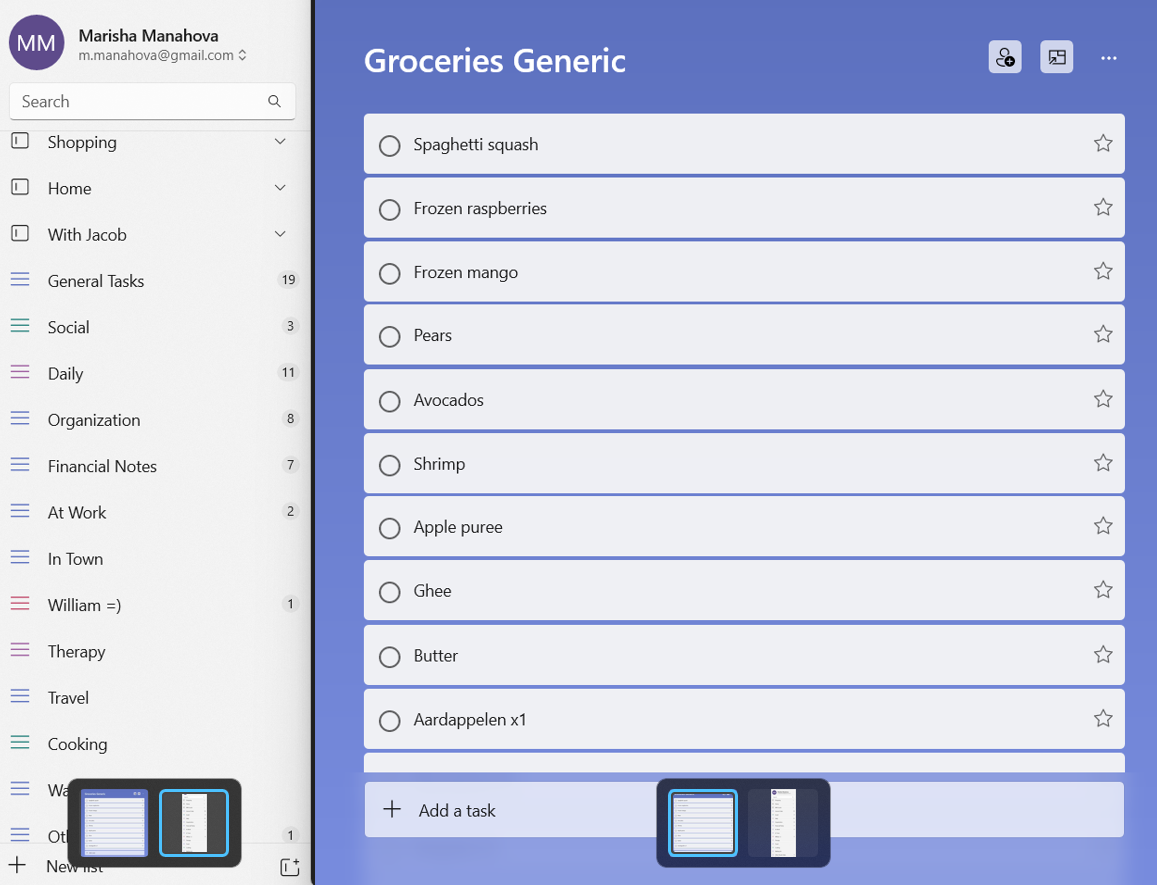
I use a digital list tool (currently Microsoft To Do) to keep track of my lists, for instance:

A screenshot of my list tool.

And I also use Trello to keep track of my workflow or of big projects such as clutter clearing and renovations:

An excerpt of my Home Trello board.

These are all super useful, and I will not stop using them. But there’s also a different use for paper planning…

Daily planning on paper

Some months ago, I felt the need to do a brain dump on paper. I’d wake up in the morning and have all kinds of thoughts swimming through my mind:

“I’m working on my website today.”

“And I need to do a load of laundry.”

“Oh, and I should start the beef in the instant pot.”

“And I need to order throat spray for William.”

“I really shouldn’t forget to…”

And on an on. Since I’ve been working at home, this has become even more of an issue because everything happens in the same space, and I can potentially do all these tasks at any time in the day. After a while of this, I knew I needed a change.

I bought pretty daily planning paper and began to write down all my tasks for the day on there.

I created a little ritual where I’d sit down after breakfast with my calendar and my to-do list and plan the day out on paper. Then, as I completed each task throughout the day, I’d check it off. It ended up being very pretty.

Why not do it digitally?

Now, you may point out that you can do this easily in any online list tool, and you’d be correct. For instance, Microsoft To Do has a nice ‘My Day’ function that I could have used.

But I had this strange need to do this on paper. I wanted to be able to walk past my desk throughout the day and glance at my list and check off items.

I’m also trying to spend less time on my phone. Every time I checked my list on my phone meant that I was holding my phone in my hand and could easily check my messages, email, etc. I’m making an active effort to do this less often, so it made sense that I’d avoid my phone when possible.

I also love planning on paper. I wish I could use a paper agenda with its beautiful pictures and fancy paper, but it is so much less convenient than an online calendar that I doubt I’ll ever go back to it, alas. But the daily planning on paper actually offers me some benefits and feels slightly decadent.

Do I do this every day?

I did do it every day at first but not anymore. Sometimes it feels repetitive, and then I don’t do it. If the day is mostly a work day, I have my work tasks on Trello, and I’m spending most of my day on the computer anyway, so I have no use for a paper version.

An excerpt of my Work Trello board for this week.

But on a day when I’m mostly doing housework and activities with William (Thursday and Sunday for me), I don’t spend much time on my phone or computer. In those cases, I use my daily planning, and it allows for a lot of flexibility. This past Sunday, for instance, it looked like this:

My daily planning last Sunday morning.

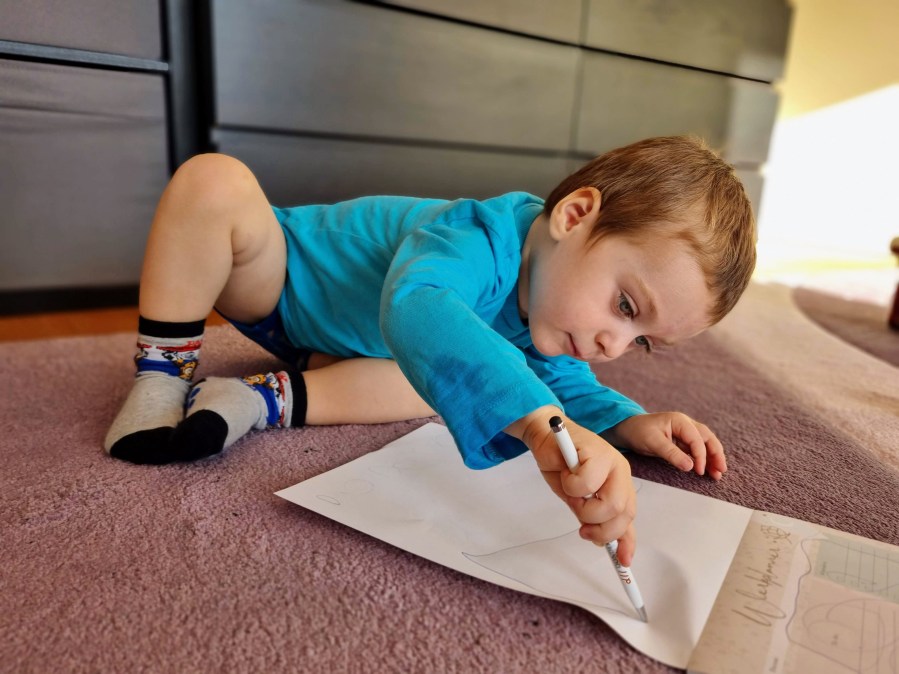
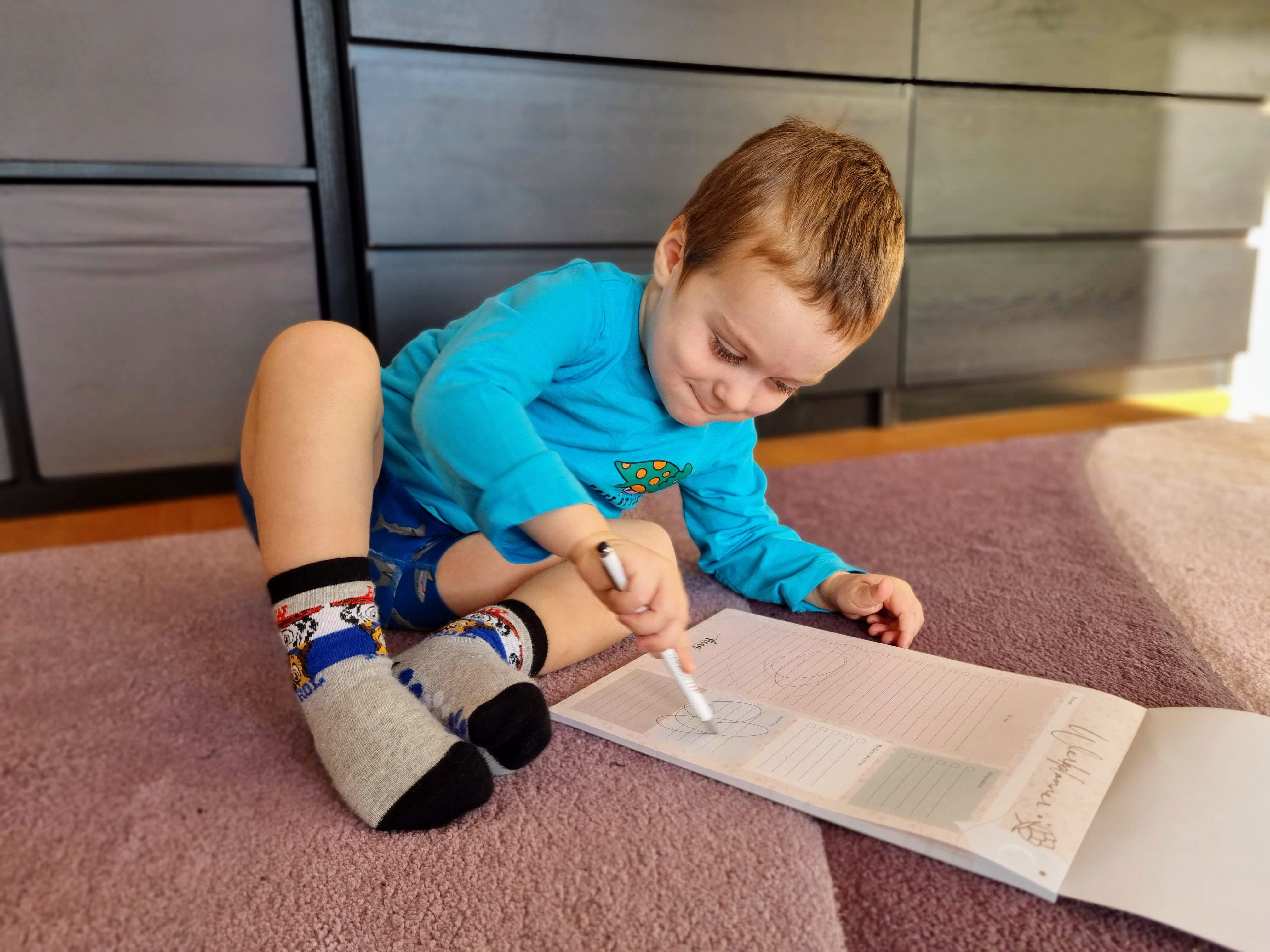
After a while, William found it, and then it had ‘drawings’ all over it. He really enjoys drawing on my fancy planning paper:

William joins the daily planning process.

Anyway, we both had fun, so it was good!

Do you prefer to plan your day using digital tools or paper?

Clear priorities -> Flexibility

Nothing requires flexibility like an ill child. I may have a great plan laid out for my day, and yet if William gets ill, I immediately switch it all around.

This used to really bother me, and while I don’t love changing all my plans around, I don’t find it as disruptive anymore. First of all, I’ve become used to the fact that William gets ill once in a while. I can’t predict when it’s going to happen, but I can be sure that it will happen at some point. By now I know what I need to do in response to different symptoms and situations, and if I’m not sure what to do, I know where to find help.

So, in a sense, while I don’t know when he’ll get ill and what I’ll need to do exactly, I know we’ll be able to handle it and we’ll figure out what to do. This allows me not to worry in advance about his getting ill.

What happens to my schedule?

This is where it’s really important to talk about priorities and not a set schedule. Sure, a set schedule is useful under ideal circumstances, and I use it on many occasions. But when the day’s planning needs to be adapted, it’s not as simple as throwing out the schedule.

Instead, I look at what really needs to get done today, what would be nice to get done today, and what can wait until another day. Having identified my priorities ahead of time, I’m ready to move things around in order to fit in the most important things. I don’t waste time figuring out what needs to get done, only to worry that I might be forgetting something crucial.

An example from this week

This past week, William got ill on Tuesday evening and had to stay home on Wednesday when he’s usually in daycare. Jacob works with patients on Wednesday afternoon, meaning he’s not available then. Therefore, we split it up, so that Jacob took care of William in the morning and I worked during that time, while I took care of William in the afternoon and Jacob saw patients then.

Okay, so I had the morning (about three hours) of uninterrupted time. I looked over the tasks for the day (arranged in sequence as they’d usually happen throughout the day):

  • Prepare slides for presentation
  • Practice presentation
  • Email and admin
  • Exercise
  • Cook chicken
  • Cook cauliflower
  • Walk

The first two tasks were certainly the most demanding in terms of concentration, and they were time-sensitive (I was giving that presentation the following week). So I spent about 2.25 hours preparing my presentation and practicing it. If I’d had the whole day as I had planned, I’d have worked on it for longer, but given the situation, this was good. After that, I quickly changed into my sports clothes and exercised for 30 minutes. It wasn’t ideal because I would have preferred to exercise for 45-60 minutes, but it was better than nothing. Don’t let the perfect be the enemy of the good.

Then, I took over caring for William. We had lunch, and then I put him down for a nap. (To be honest, I took a brief nap with him.) Afterwards, I tackled email and admin tasks: they required some concentration, but they were much easier to do than preparing my presentation.

I got through most of the admin tasks when I heard William calling me. He usually naps for 1.5-2 hours, but this time it had only been 50 minutes. No surprises, when he’s ill, he tends to wake more. I went and cuddled him, trying to help him get back to sleep. This sometimes works and sometimes it doesn’t; today it didn’t work. William wanted to get up, so we got up. I left a couple of admin tasks for tomorrow–not my favorite thing to do, but it happens, oh well.

Now, the question became how to cook given that William only wanted to cuddle. I pulled up a chair for him in the kitchen with me and let him watch. I had an elaborate recipe planned for the chicken, but instead I went for a very simple one. We’ll still get to eat, and that’s what matters now. I also cooked the cauliflower mash, which fortunately is rather simple and one of William’s favorites to observe since it involves using the handheld mixer.

Next up on my list was going for a walk, which I usually combine with picking up William from daycare. Since I obviously wasn’t picking him up today, this was a difficult one. Also, he had a fever and it was quite cold outside, so I didn’t feel like taking him out in the stroller. I decided to skip the walk today; not everything can get done, and that’s okay. I already got some movement in in the form of exercise, so that’s good.

We had about an hour left before dinner, and William and I played together. He didn’t have a lot of energy, so we did quiet activities such as reading books (so many books about tractors), drawing (so many trains), and building puzzles (with both tractors and trains!). We don’t usually have a whole hour to play, so I enjoyed this. Extra William time!

After this, William and I had dinner and went through the bedtime routine, after which he fell asleep. He was in bed one hour earlier than usual–he was so tired from being ill. This meant I had an extra hour to myself! Jacob came home from work (tonight was a late evening for him), and we spent some time together. We went to bed a little bit early because who knows what the night ahead will bring! An ill child is certainly unpredictable, and we wanted to be ready to respond if necessary.

Flexibility with priorities

I was able to adapt my planning for the day because I knew clearly what my priorities were. I also knew where I could get some uninterrupted time (e.g., while Jacob was taking care of William), some semi-productive time (e.g., cooking with William next to me), and some time that had to be dedicated to him (e.g., extra cuddles, dinner, play).

Note that this day turned out pretty well given that we had an ill child at home. Sometimes, this isn’t possible if the child is very ill or if you don’t have another caretaker at home. That has been the case for us as well sometimes, and it just is what it is. Fortunately, it passes–everything is a phase, right? If you’re in that phase right now, I feel for you, and I’m sure I’ll be there at some point again.

Not every day can be made moderately productive, but the point is that we can have awareness of our priorities, opportunities, and possibilities, so we can make use of an opportunity when it comes our way.

How I Completed My PhD Thesis

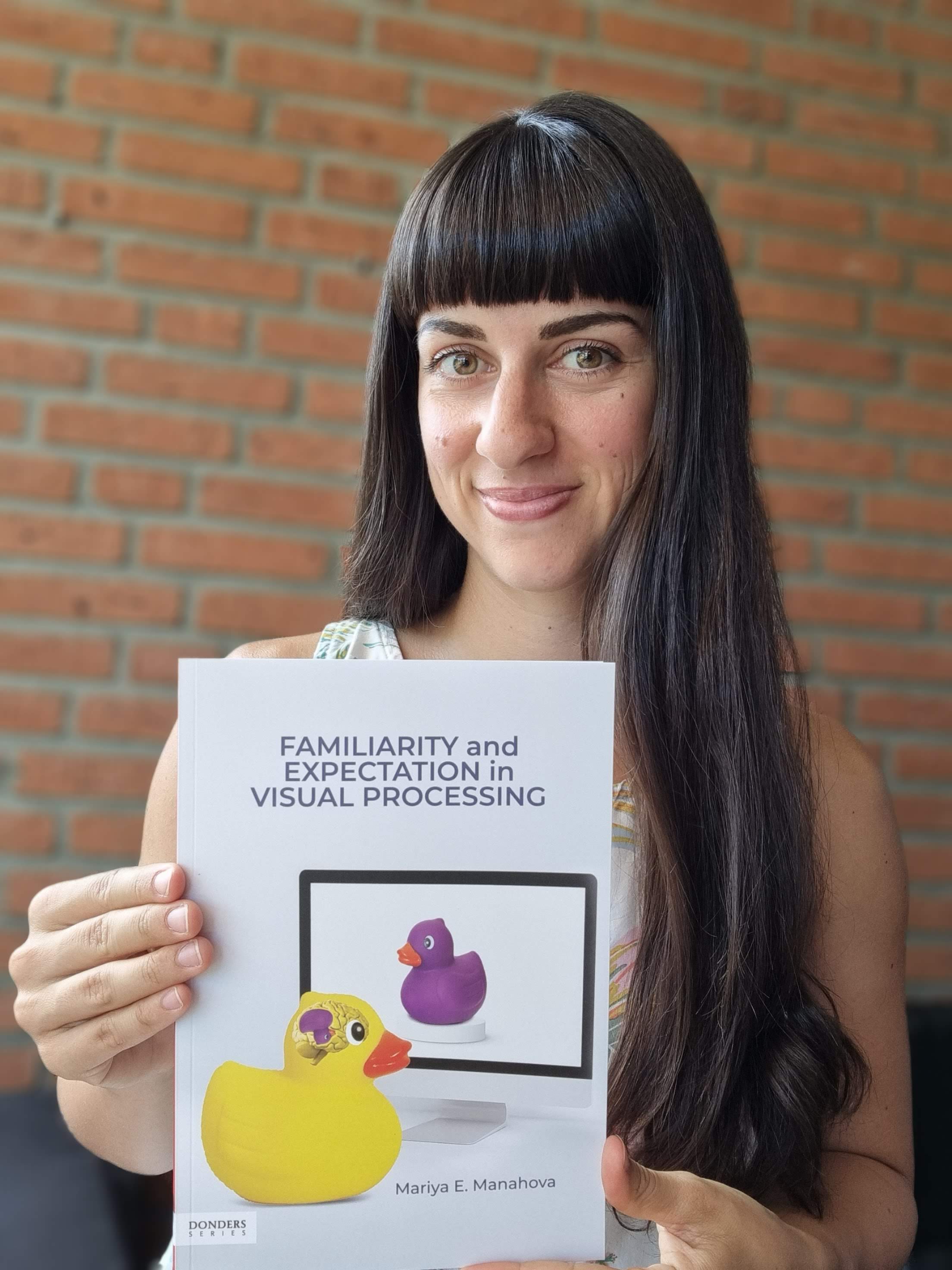
I just received my books from the printer–my PhD thesis printed as a book! It’s truly an astounding moment. I can leaf through this book and know that I wrote every page of it… crazy.

It was certainly a journey of perseverance that got me here, and I’d like to share the main steps along my writing path.

My PhD thesis describes my empirical research in neuroscience, which includes reading papers, coming up with a research idea, creating the research design, getting feedback, carrying out the experiment (collecting data), analyzing the data (lots of analyzing…), getting feedback, writing a paper, presenting the results, and getting more feedback. (Do you see a pattern with all the feedback?)

What’s in a PhD thesis?

I started my PhD in October 2016, so I did research for five years before beginning to put together my PhD thesis, and fortunately I already had two published papers, which became chapters 2 and 3 of my book (you can find them here and here). I finished another experiment towards the end of 2021 and wrote that up to become chapter 4. (I’m glossing over this part a bit, but writing a chapter or a paper is a lot of work on its own. However, I’d like to focus on something else here…)

Then came the hard part: writing the introduction and discussion. The introduction became chapter 1 of my thesis, and in it I aimed to summarize the main theories in the field and explain how my research answers an important question. It’s a difficult part to write because it starts out very general and all-encompassing (e.g., what is visual perception), and yet it needs to become very specific (e.g., explaining how my experiments inform the field).

Break it down

I felt that writing the introduction was daunting. It felt like a big thing looming over my head. Could I do it? I decided to apply the approach I advocate to other people: break it down. Identify the small parts and focus on one at a time. A small part is much less daunting, and I felt like I could handle one small part to write.

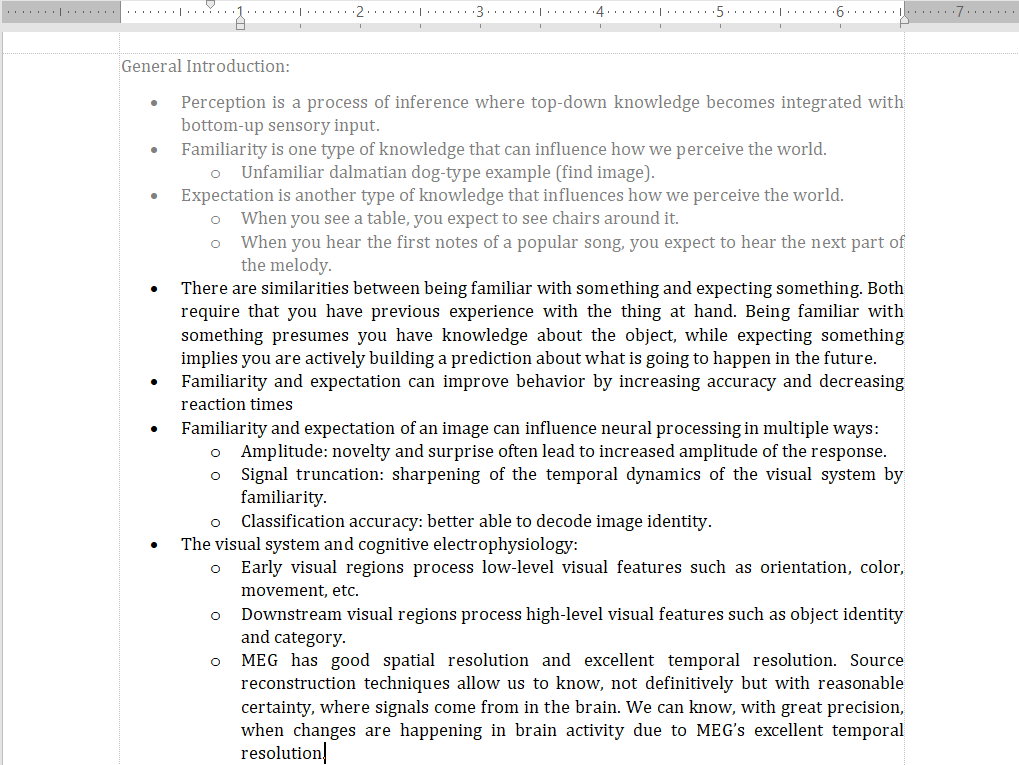
I broke down the big introduction into paragraphs, and I tackled one paragraph at a time. In order to do this, I created a detailed outline, where one sentence indicated one paragraph. The text color was black, and as I completed a paragraph and moved on to the next, I changed the color of the completed paragraph to gray. Early in the writing process, my outline looked like this:

An excerpt from the outline of my introduction.

In the end when my introduction was complete, the whole outline was in gray. Ah, was that a gratifying sight! Then, I received feedback from my supervisor and edited the text, after which the introduction was DONE!

In the flow

It was time to write the discussion. This is the part where I bring my research findings together and integrate them with the rest of the field. Basically, I explain what my work has contributed to our knowledge and how it fits with the rest of the research. I approached this in the same way: I made a detailed outline where each sentence indicated a paragraph and tackled one paragraph at a time.

Wow, was this part fun! The reason we do research in the first place is because we want to expand our knowledge, we want to contribute to the understanding of the brain, in my case. And in the discussion, I had the opportunity to go wild and explain what we know now, what we don’t know yet, and speculate about what could be the ground truth… exciting!

The fact of the matter is, though, I had time pressure during this part. My husband’s father was very ill at that point, so we chose to visit Jacob’s family in South Africa. We booked our flights, and I had five days to write the last 2-3 pages of my discussion. This may not seem like a lot, but it involves lots of reading papers, thinking, and synthesizing information.

I experienced laser focus during those 5 days. I wrote my conclusion (the final part of the discussion) on Saturday morning (our flight left on Sunday). I wrote for 4 hours straight in the bedroom, occasionally uninterrupted by William who was curious about what was keeping mama so busy on the laptop. Finally, I was done! It’s crazy how circumstances can truly cause us to focus sometimes.

Practicalities

This was hardly the end of the process, however. There are lots (and I mean LOTS) of practicalities that need to be completed after finishing the writing part. I compiled a Trello board with all of them and checked them off one by one as I completed them (this is only an excerpt and by no means the entire list of tasks):

Some of the tasks I had to do after completing my PhD thesis.

There were lots of little tasks to keep track of, and I’m glad I used my favorite Trello boards, lists, and cards to keep track of everything. I am still doing this now as I am organizing the defense and the events around that. It’s exciting to be organizing my defense, but I could also easily get worried about forgetting some small but crucial step. Fortunately, this method allows me to stay calm as I take care of tasks, one by one.

It was a true joy to receive my books! Wow, what a process it’s been to get me here… Now I get to enjoy the end product and defend my thesis, of course!!! More on that coming soon!

Me, super happy, holding my book.

Identify the problem!

Is there a habit you just can’t seem to make stick? Or is there a task you just don’t tackle no matter what? It may be time to identify the problem!

When you’re struggling with a habit or a project, there is usually a very specific reason holding you back. You may try all kinds of approaches, but until you identify the concrete issue, you’re unlikely to resolve it.

Continue reading “Identify the problem!”

Try this: Make a possibilities list

Do you hate to-do lists? Do you feel suffocated by deadlines? Try this instead.

Different things work for different people. Over the past two weeks, I’ve been suggesting different strategies that may work for you. If the traditional strategies such as to-do lists, schedules, deadlines, and accountability buddies don’t work for you, then this may be just the right thing for you!

Continue reading “Try this: Make a possibilities list”